

A Summer Solstice Teaser

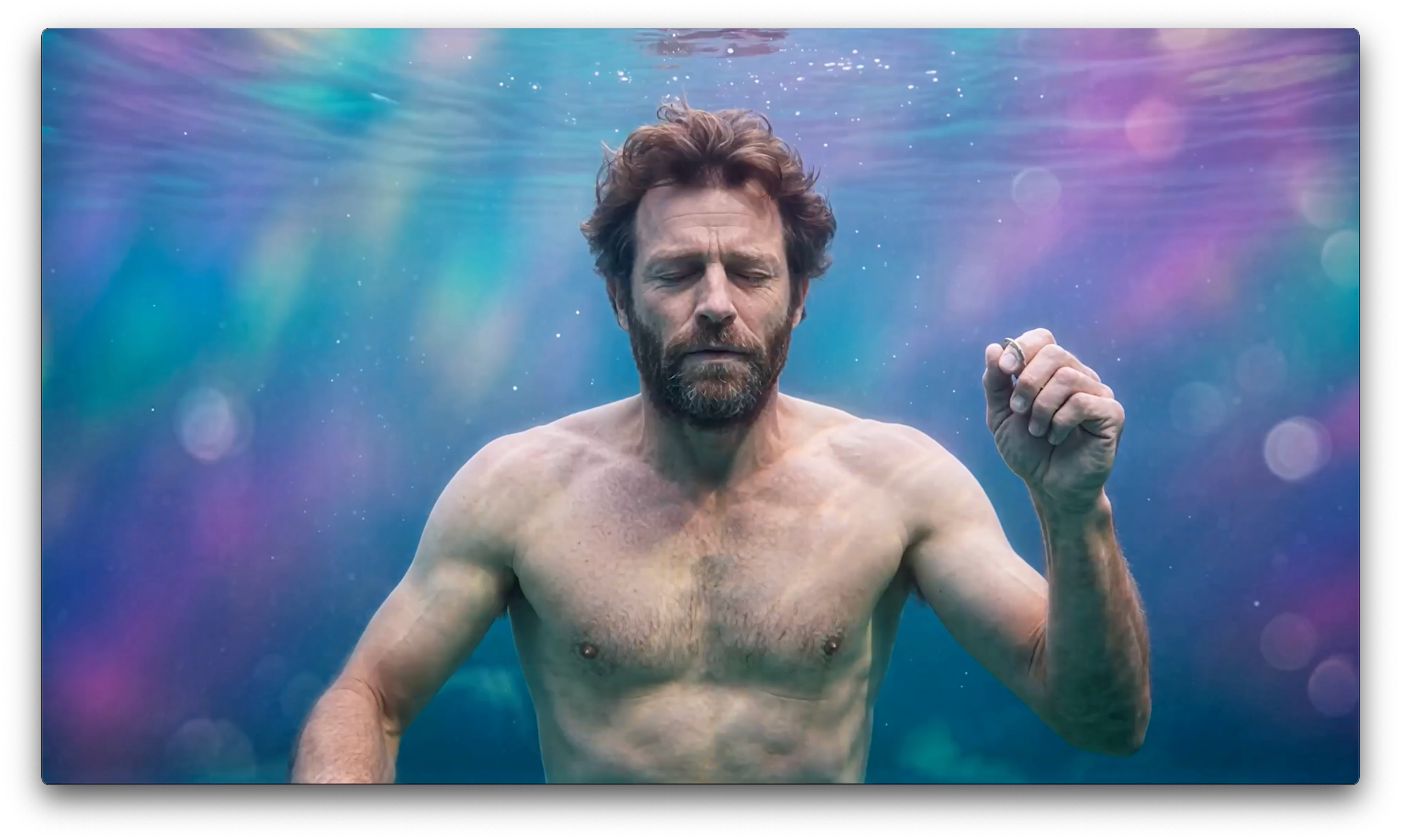
In my last post, I mentioned creating and publishing an illustrated version of my screenplay. The one adapted from my Neanderthal time-travel book series. And I ended with this comment: “The only thing left for me to do now is make an actual movie of the thing, right?”
Well, I didn’t make the movie—yet—but I did something related… I created a teaser/trailer for the yet-to-be-filmed film. Want to see it?
[if the link above doesn’t work, just search for “A Summer Solstice Teaser” in YouTube]
You may be asking yourself: “He made a trailer for a film that doesn’t exist?”
Yep. And yeah, that’s not the usual way. The usual way is to make the trailer or teaser FROM the film’s actual footage. To show it off. To entice you to want to see it. But I wanted to entice myself first.
I wondered: What would a film of my NEANDER story look like? What would it sound like? How can I see it without actually making it?
Well, AI filmmaking—aka generative video production—to the rescue.
Now, you may also be thinking: “But it’s AI. Doesn’t everybody hate AI?” Well, yes, lots of people do hate it. But I don’t. The way I see it, AI is here to stay, so why not experiment to see what it can do? Why not create something with it? Not just silly still images, but something moving. Like a little movie. Like a teaser/trailer.
So yes, I did it using generative AI. But as I like to say: It may be AI, but it’s 100% human art-directed and produced.
So if you’re still reading, here’s the process I used:
Concept & Pre-Production
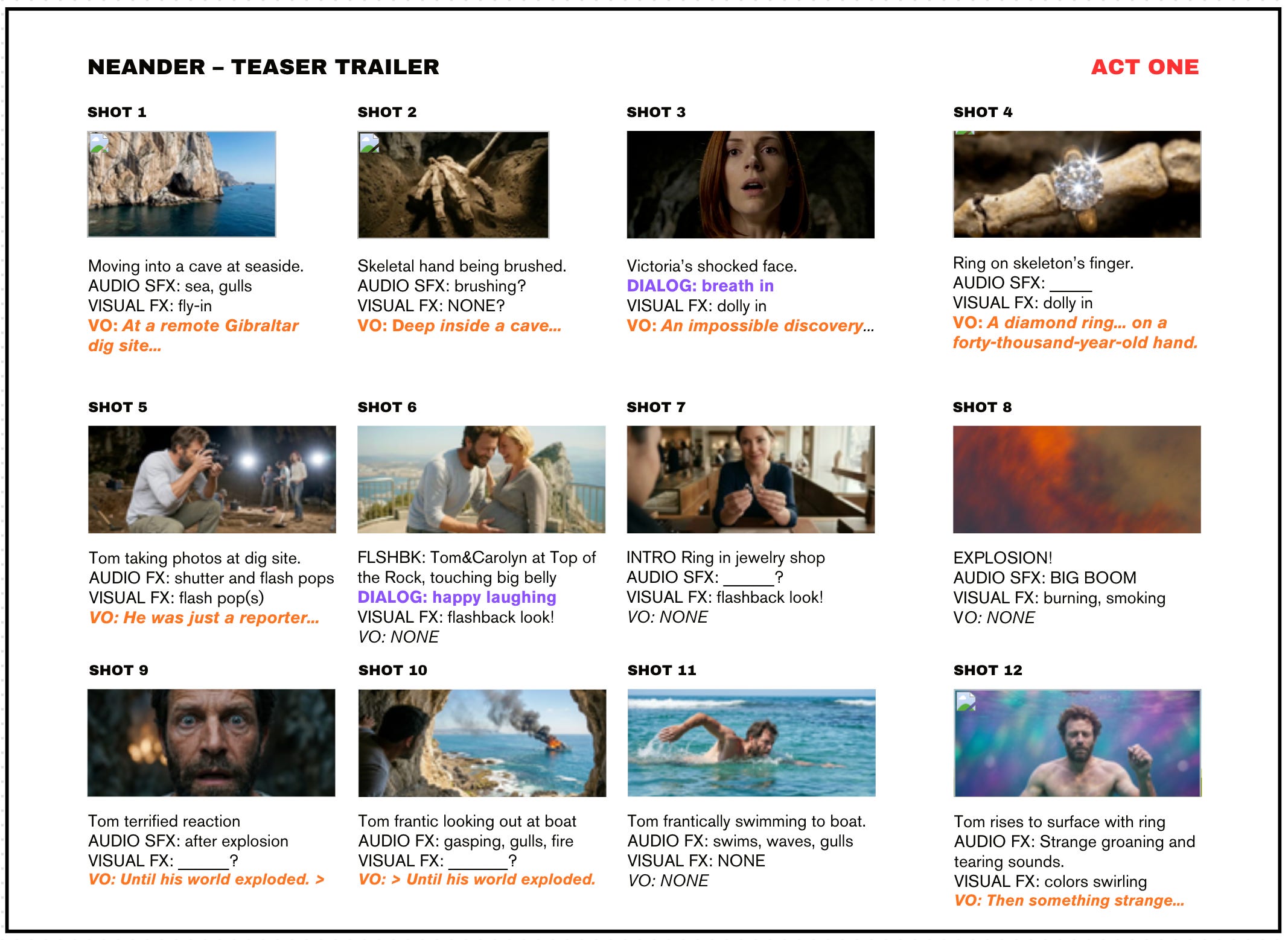
After getting tired of hunting through notebooks with my thoughts and scribblings, I decided to create an actual storyboard of the whole thing. I pulled up a basic template from Canva (the free version) and started laying out each shot along with any special sounds and narration (the “VO” you see). Storyboards are a great way to organize a film. Heck, Martin Scorsese hand-draws storyboards for all his films. In my case, pulling from the key scenes of my script, I made little sketches with just a few words indicating what each shot was. I then gradually replaced those with the stills generated in the next step.
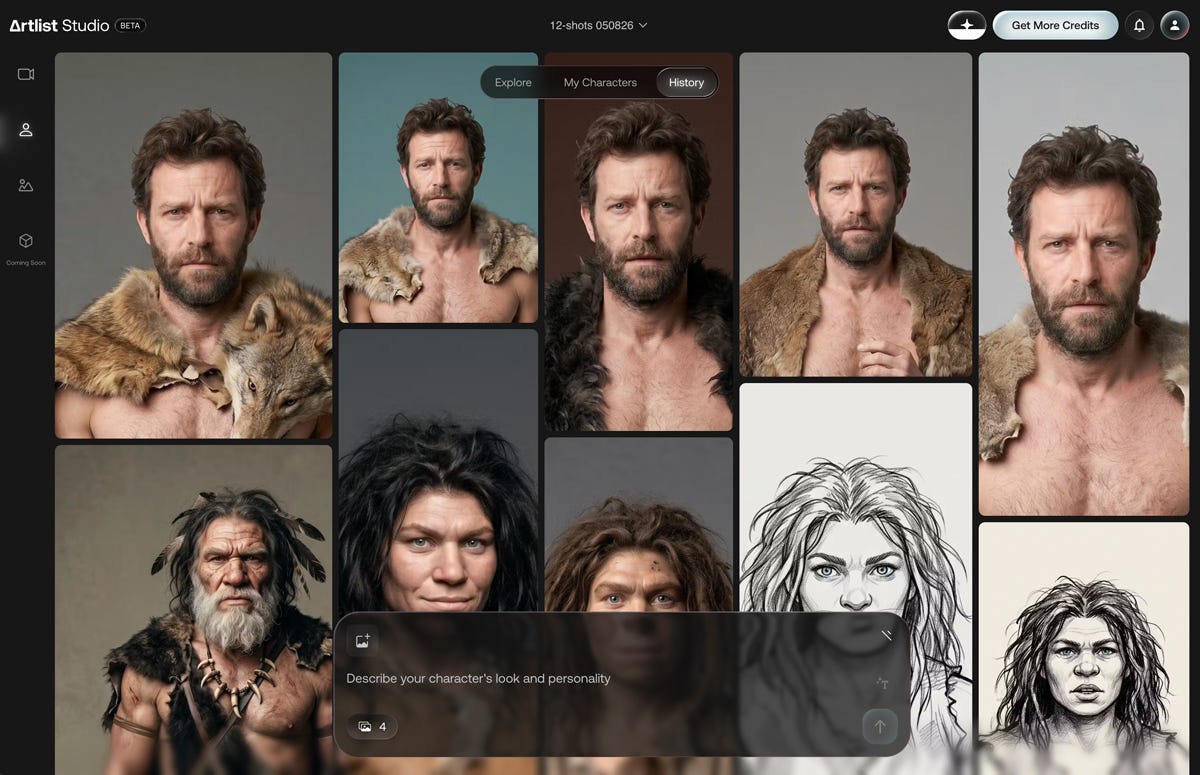
This is also the stage where I created my “character anchors.” After seeing some samples from a few filmmakers I follow, I decided to take the leap and sign up for Artlist. It’s an online creative platform and subscription service tailored for filmmakers, video editors, and content creators. It offers stock assets and a generative AI creative suite. All in one place. And with a cost, using a combination of a subscription and a credit/token system for the assets used.
One of the long-standing challenges of AI models has been character consistency: does the character stay the same across different generations? While still not perfect, Artlist has come the closest I’ve seen to solving this problem.
Production: The Generating
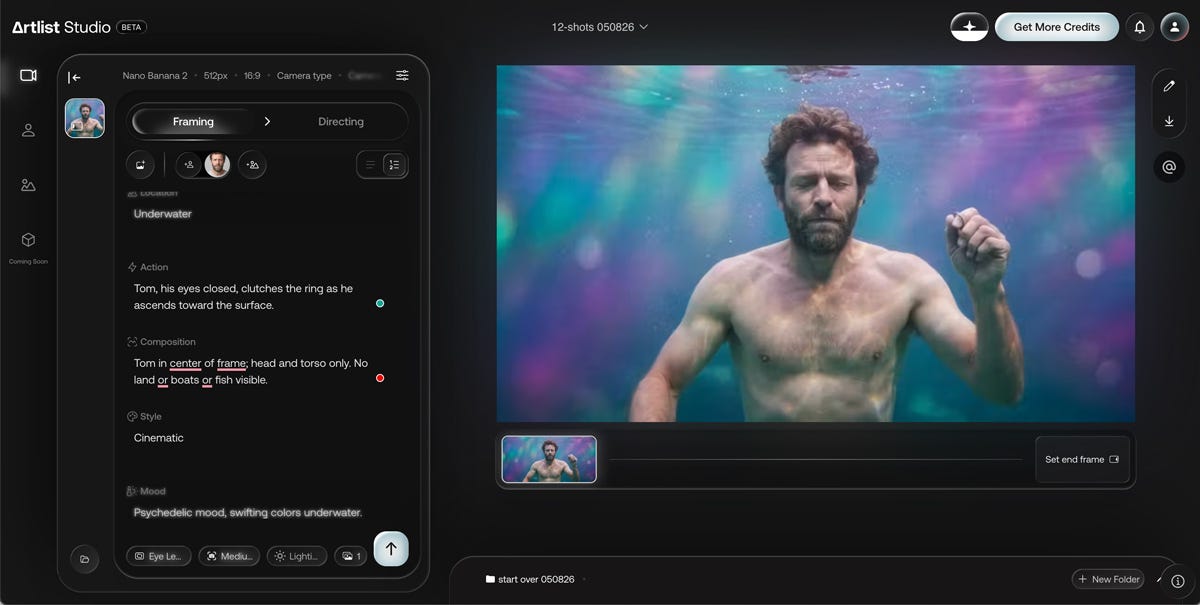
This is where the “shooting” starts. With Artlist, you begin by creating a static “frame.” This establishes the basic look and feel of the shot. In my case, I used Nano Banana 2 as the model with a 16:9 format. This includes the notorious “prompting.” That’s where you spell out what you want the AI model to see and do. This is the critical part that sometimes takes multiple tries of rewording and tweaking. I started with wording directly from my script, but ended up having to change it more than once.
This is also where—on Artlist—I could upload a “reference” image, or just tell it to “use my Tom character” that I’d already created. And I could also specify the camera angle (eye level), shot type (medium), and how many iterations I wanted to see (x1 to keep the cost down since every render costs me more). Like this:
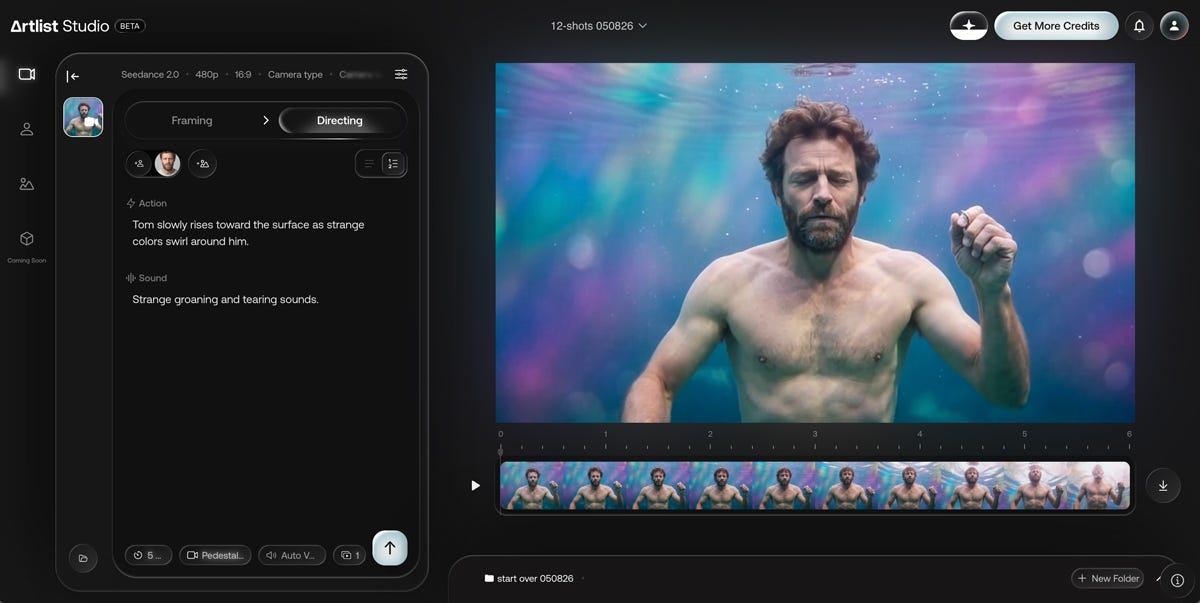
Next comes the “Directing” part where motion is added to create the actual video clip. This is the cool part. Where you see the image come to life. (You can watch this actual clip in the linked YouTube video at the 0:26 time mark.)
For this shot, I picked the Seedance 2.0 model, and specified a low-res rendering (480p). I picked low resolution because I wasn’t sure if any of this was going to work, and I didn’t want to waste time and money in the interim.
This is also where I picked the time length of the clip along with the camera movement, in this case, a pedestal shot where the camera rises with the subject. And, again, just one rendering to keep the cost down. Here’s that screen:
Post-Production: The Upscaling/Tweaking
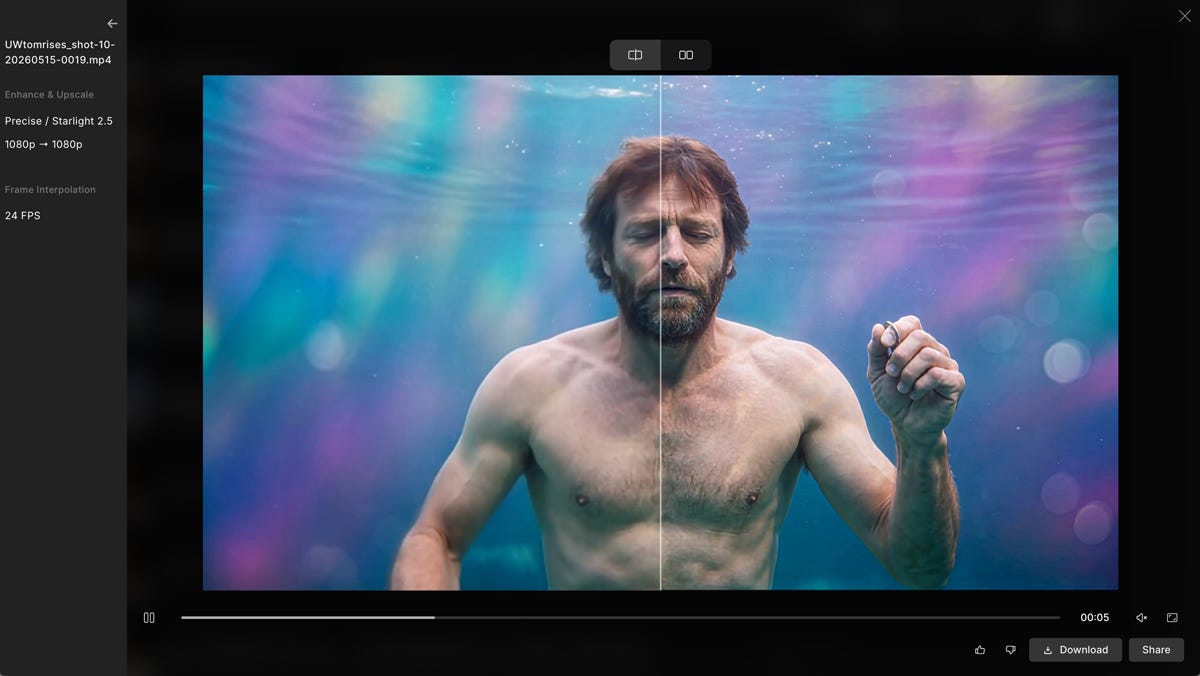
As I mentioned, because I was initially unsure of what I was doing, I created the first round of video clips in low resolution. Which is just big enough to see something, but not really good enough in a world where cameras now record video in 4K resolution and up. But—and here’s the downside to all this—the higher the resolution, the more it costs in credits. So I settled on a compromise: make the clips in low res, and then “upscale” them to something like 1080p. Not the highest resolution, but high enough.
And for that, I used a program called Topaz. Once I saw the results, I was sold. Of course, you have to pay for Topaz, too, but I was in too deep to let that hold me back. (You’ll also notice that with this particular clip shown below, I’m going from 1080 to 1080. That’s because this was one of my earliest clips, and I stupidly generated the Artlist clip in 1080 by mistake. But even at the same resolution, the Topaz tweaking and re-outputting was a big improvement.)
Post-Production: The Editing
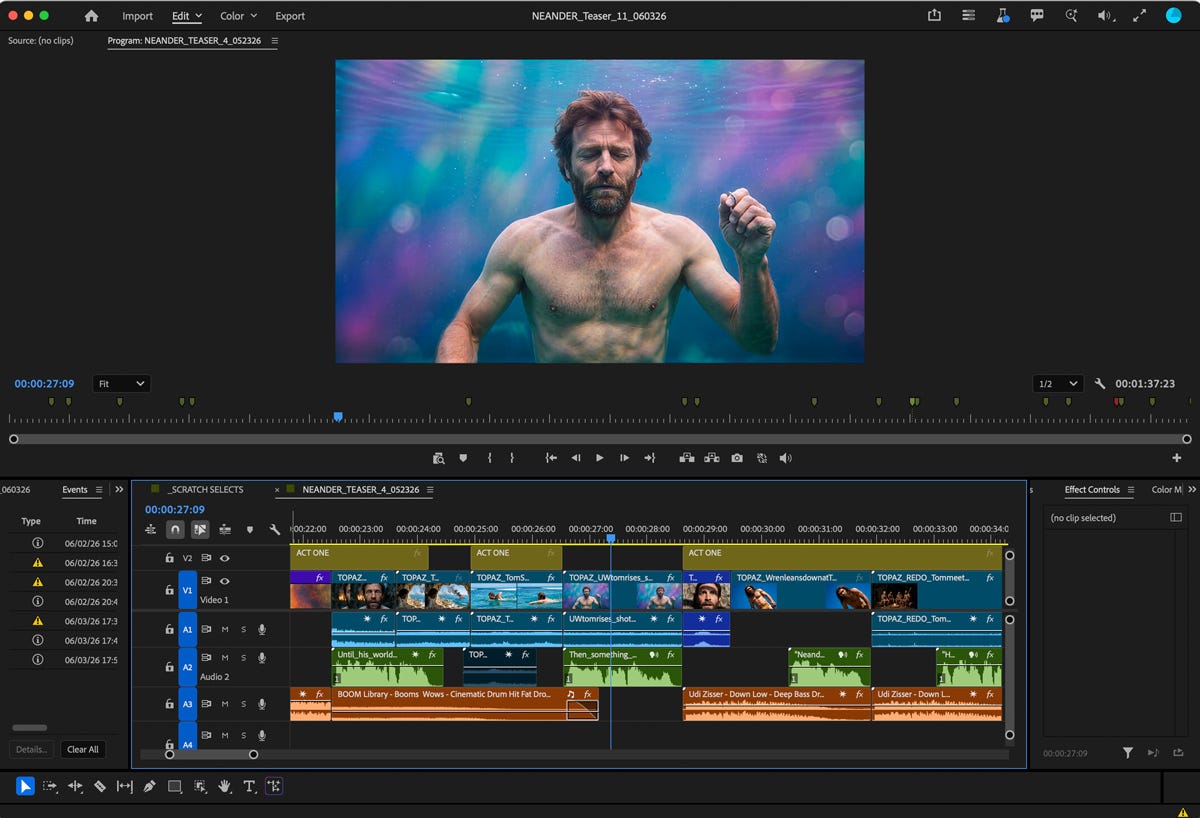
This is the best part. Where it all comes together... the video clip with its production sound. Plus any VOs. And then all the neat sound effects (SFX), special visual effects (VFX), and finally, music added in. The latter elements together are called Sound Design, and it’s where the real magic happens. It’s often said in the movie world that what you hear is more important than what you see, and I believe it. FYI: I’m using Adobe Premiere Pro for editing here.
So that’s my latest creative project. I wonder what’s next. I’m thinking of turning this teaser into a book trailer. Hmm…
Happy Summer Solstice!
— Harald
P.S. Here’s the logline of my original NEANDER story: A troubled science reporter plunges through a time portal to the era of Neanderthals, where he faces a crucial decision that could alter the course of human history.
What a great demonstration of using AI for creative projects. You sure have whet my appetite for some experimentation of my own Harold! Happy Solstice!